
OnAir – The Only Visual Mic Check For The GoPro Media Mod
$49.95
FREE SHIPPING! / 3 Year Warranty
Lost hours of GoPro audio because your mic was unseated from the Media Mod? It’s a problem most motovlog riders have experienced. Every time you adjust your helmet, there is a potential for the microphone jack to be unseated. Those days are OVER! WizzWare designed OnAir to specifically address the temperamental connection between your helmet microphone and the Media Mod.
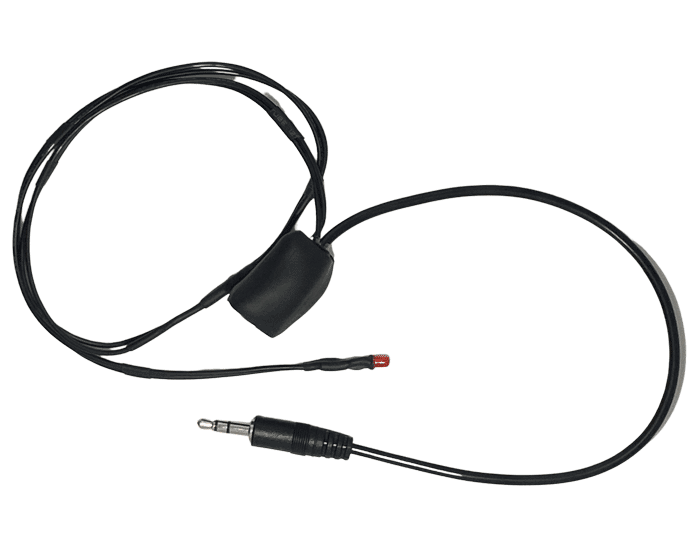
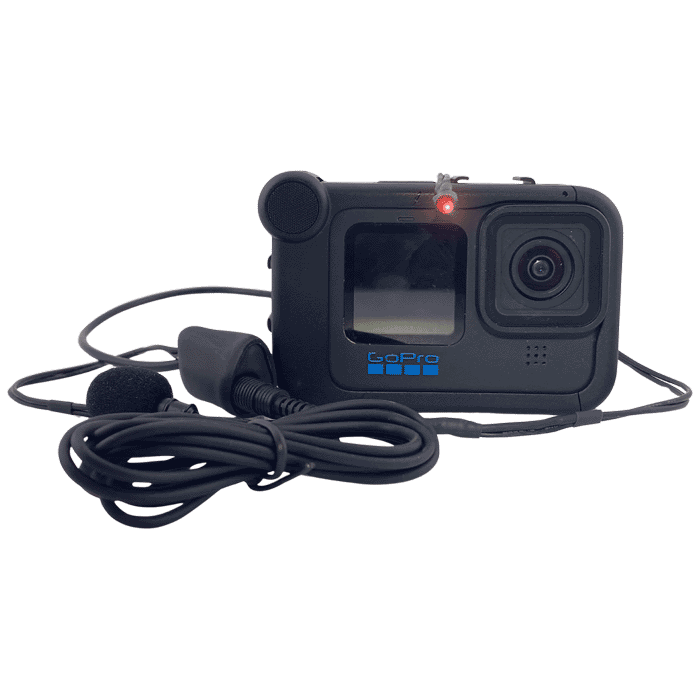
OnAir plugs into your Media Mod TRS jack and routes through your helmet to an indicator light. When the light is lit, your mic is seated, your connection is solid, and you are OnAir. When it’s not, you know before you ride, not when you get home.
OnAir – Visual Microphone Connection Confirmation for the GoPro Media Mod.
OnAir – Know Your GoPro Mic Is Hot Before You Leave The Parking Lot
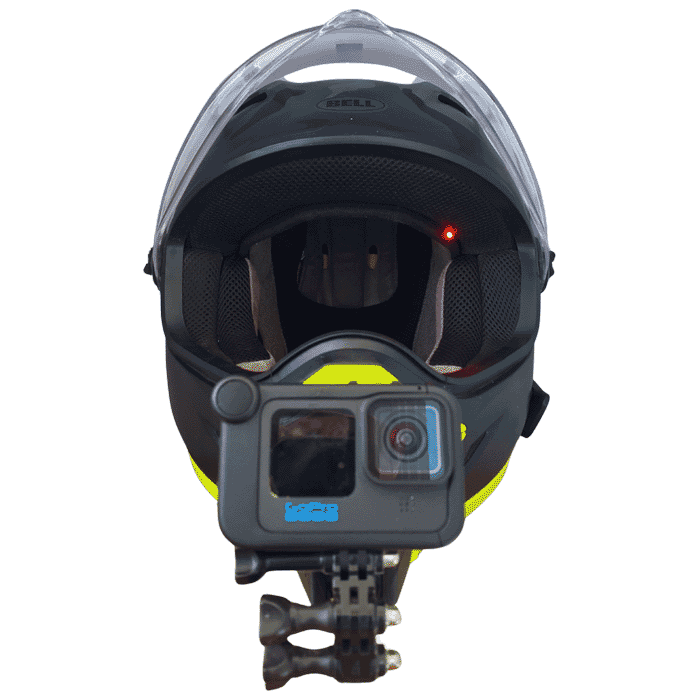
Every motovlogger knows that audio is a critical component of your vlog. There is nothing worse than getting home after an incredible ride only to discover your GoPro recorded a beautiful silent movie, making your footage about as exciting as an old timey movie with piano music. On multiple occasions WizzWare has somehow disconnected the TRS microphone jack and lost complete sections of sound. The disconnection is not apparent, and there is no visual check because the sound bar is not visible from a helmet chin mount. Our last GoPro audio loss, a trip through the Navajo Nation, was the last straw, so we created OnAir. When the LED is red, you are OnAir.
The WizzWare OnAir is an inline monitor between your helmet microphone and your Media Mod. The premise is simple, if the connection is active, the indicator light is on, but if the light is off or flickering, your mic needs attention. The red indicator light can be placed anywhere in your helmet, like in the chin bar area or along the top of your pads so a quick interior or mirror check will verify your microphone connection. OnAir is completely transparent to your audio signal with zero signal loss and zero degradation. Your audio passes through perfectly.
OnAir Compatibility
OnAir is designed specifically for the GoPro Media Mod and works with any TRS helmet microphone. If your helmet mic has two black rings on the jack, OnAir will work with your setup.
Compatible with:
- GoPro Hero 8, 9, 10, 11, 12, 13
- Any TRS helmet microphone (two black rings on the jack)
- Full face and modular helmets with mount setup
- ADV, street and touring riders
OnAir Installation
Installing OnAir does not require any tools or permanent modifications to your helmet. Route the TRS cable from your Media Mod through your helmet the same way you would a Cardo or Sena speaker wire. Tuck the OnAir module under your helmet pads, then route the indicator light wire to your preferred location. The chin area is a good location, but you can also consider locating it in the top along your helmet pads allowing for a quick side mirror check. Last, plug your helmet microphone into the OnAir TRS jack and you are done.
If you are traveling without your GoPro, the TRS jack is easily tucked up under the pads and out of the way.
Installation takes only minutes.
Never Lose GoPro Audio Again – Add OnAir Today!
Related products
-
Aces ‘n Eights Bandana
$12.75